A clearer, smarter workflow system that improves agent efficiency, reduces operational friction, and scales with organisational needs.
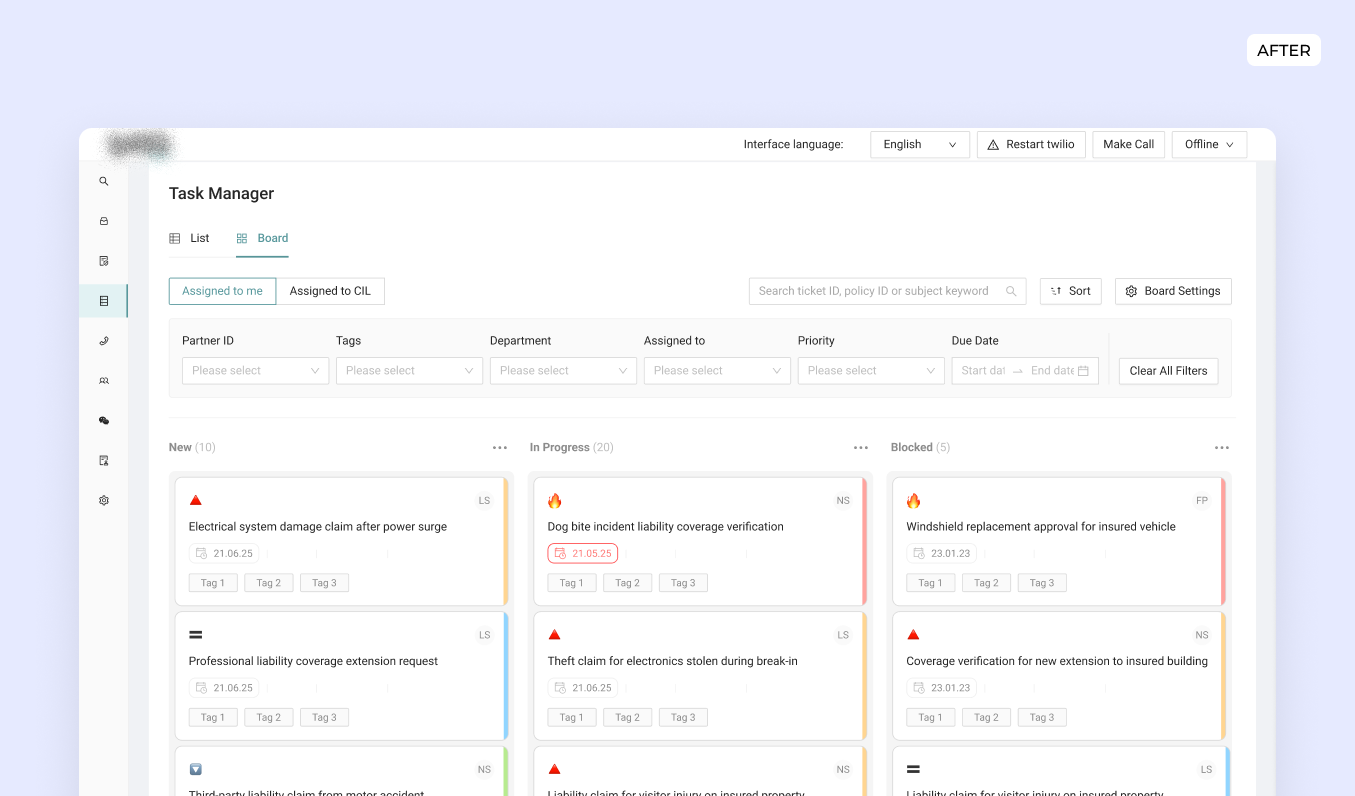
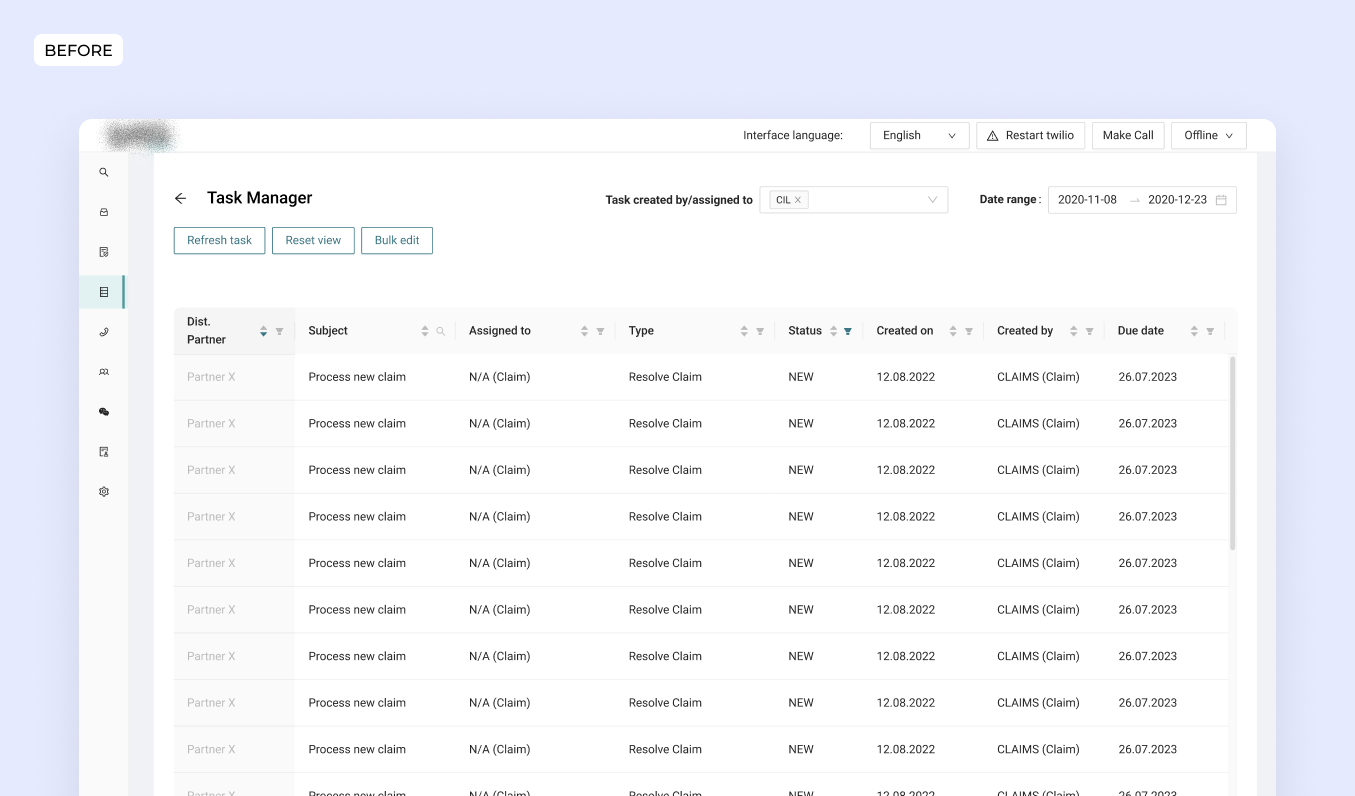
Drag the slider to see a before and after.
Service Designer, Product Designer Lead
PO, BE and FE engineers, Customer Agents, UX content
Nov 2024- Jan 2025
The Customer Interaction Lab (CIL) is iptiQ's platform for managing policies, communications, and tasks. As iptiQ grew, so did operational complexity with more partners, more markets and different communication channels with partners, but we lacked clear visibility into how agents navigated this ecosystem day-to-day.
I initiated service design research to map the full landscape: actors, tools, workflows, and friction points. The ecosystem mapping identified task management as a significant friction point as a high-volume coordination touchpoint between agents and partners where dependencies were creating bottlenecks. I initiated service design research to map the full landscape: actors, tools, workflows, and friction points.
Follow-up interviews with agents revealed why: they were relying Excel sheets and on Outlook reminders alongside the platform's task manager. Long lists, unclear prioritization, and fragmented task context made the official tool less practical than workarounds.
This insight aligned with leadership's goal to improve operational visibility and create the foundation for automation, making task management redesign both a user need and a business priority.
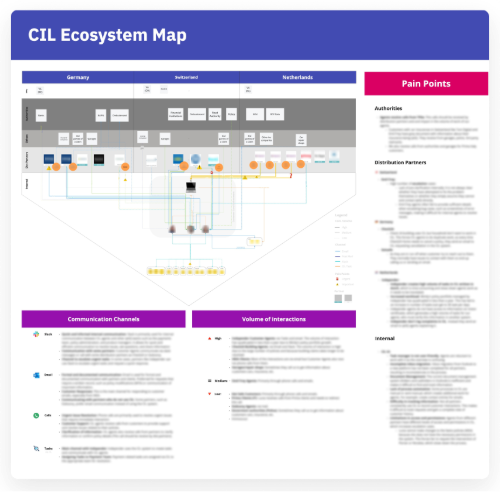
The ecosystem map visualized the full landscape of how agents worked: the actors they coordinated with, the tools they used, communication channels, and interaction volumes across markets.
What it revealed: Task management sat at a critical junction in the service ecosystem, serving as the primary coordination mechanism between agents and partner teams. This touchpoint showed high interaction volumes and emerged as a significant friction point, with visible dependencies and bottlenecks.
This systems-level insight aligned the Product Owner and backend team on investigating task management as a strategic redesign opportunity.
In order to get deeper understanding on the issues around task manager, I conducted 5 in-depth interviews with customer agents and payment specialists, complemented by a shadowing session and learnings from previous usability tests.
What we uncovered:
Task visualization & organization:
Agents struggled to tell what was new, urgent, or already handled. Large task lists made it difficult to spot what required immediate action, pushing agents to create their own tracking systems outside the platform.
Contex was fragmented across views:
Important information (comments, attachments, status changes) was hidden behind multiple tabs. To understand what had already happened on a task, agents had to open each one individually, slowing them down and increasing the risk of missing key details.
Follow-ups were managed outside the system:
There was no reliable way to track tasks that required future action. Agents relied on Outlook reminders, Excel sheets, or post-its to remember follow-ups, which led to lost tasks and duplicated work.
Tasks status & ownership:
Tasks did not reliably reflected the real state of work. Agents manually updated statuses and reassigned tasks, which led to confusion about whether a task was new, already in progress, or simply waiting on another team.
Research revealed multiple, interconnected problems within task management, but not all could be addressed at once. To avoid solving symptoms in isolation, I worked with leadership to converge on a clear problem space and framing the redesign as a foundation for operational change, not just a UI improvement.
I synthesized research findings into 3 main How Might We (HMW) statements to frame the design opportunity:
#1 - HMW help agents understand which tasks to focus on first, so they can work more efficiently and avoid missing urgent issues?
#2 - HMW make it easier for agents to see all relevant interactions for a task in one place, so they can quickly understand what has happened and what still needs attention?
#3 - HMW support agents in managing tasks that require follow-up, so they don’t have to depend on external tools and risk missing important work?
Building shared ownership
To ensure solutions were both technically feasible and user-centered from the start, I facilitated a co-creation workshop with engineers, the product owner, and customer agents.
The approach: Teams rotated through three rounds, each tackling a different HMW. Engineers paired with different agents in each round, hearing workflows firsthand and brainstorming solutions together.
This built empathy (engineers understood the real-world context) and shared ownership (the team was invested in solutions they helped create) and solutions ideated were taken into account for the design phase.
I translated the HMWs into design explorations, starting with low-fidelity wireframes to test different directions quickly.
Some approaches explored for HMW1:
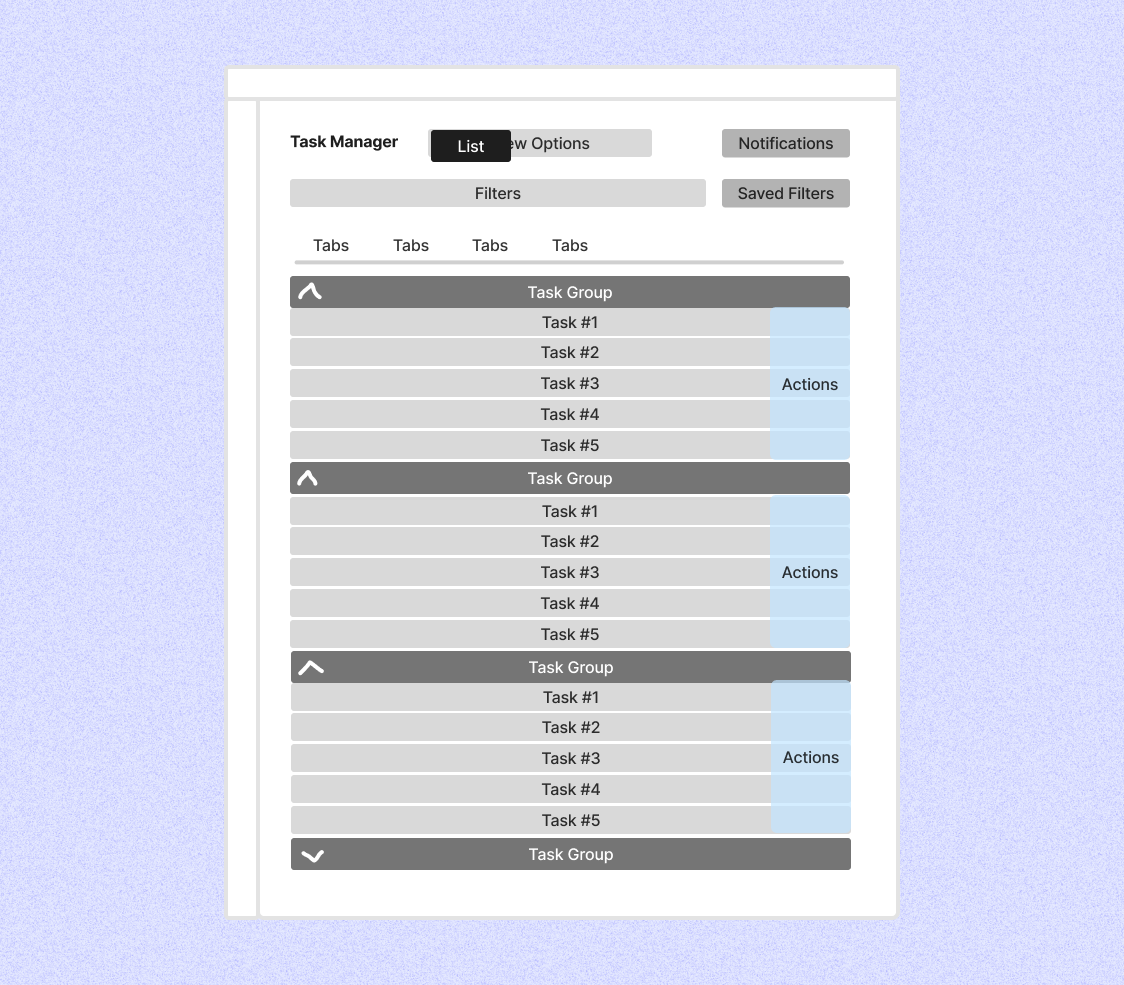
List view:
A familiar and compact layout that scaled well for large volumes of tasks. Grouping and filters helped structure work, but prioritisation and progress were hard to scan, especially within long lists. Urgency and context often remained hidden.
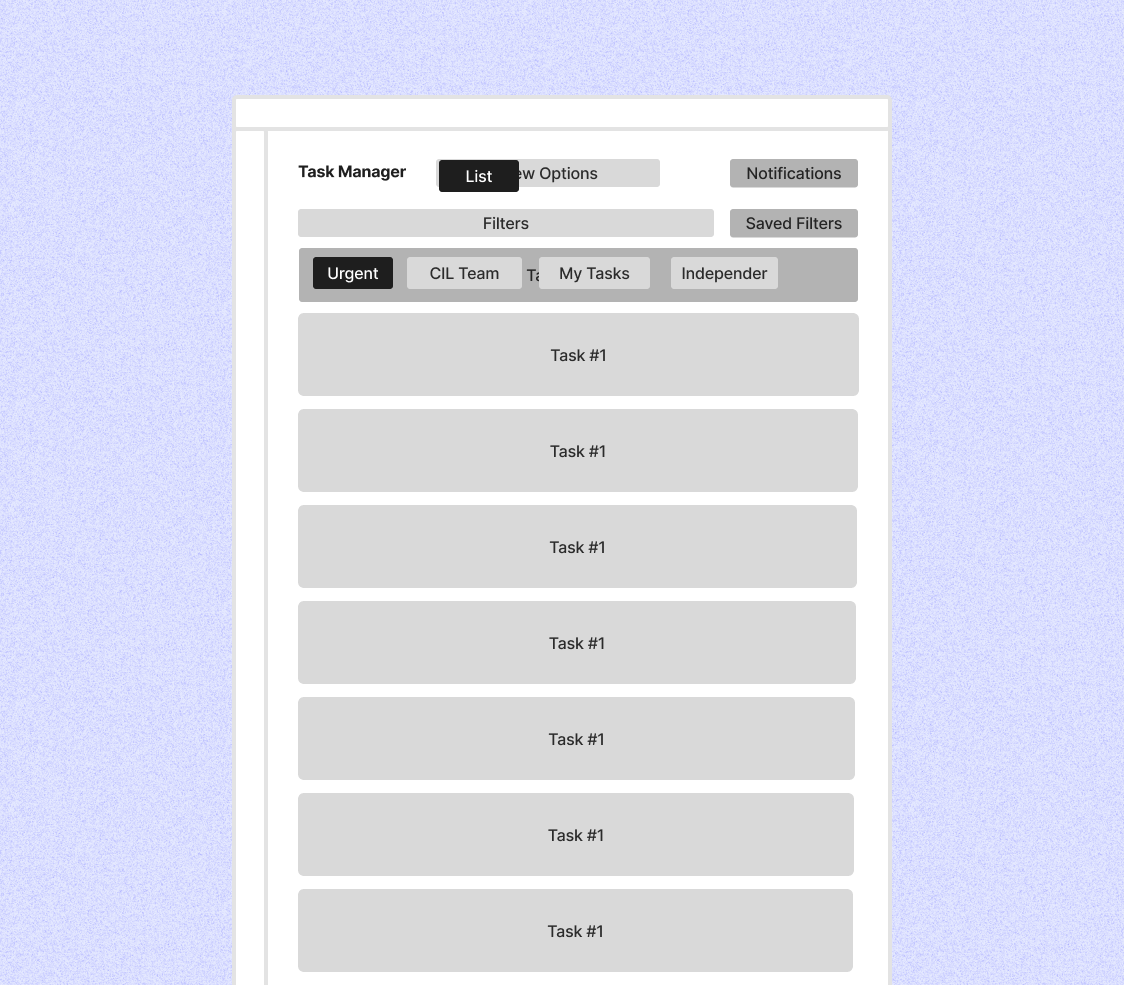
Enhanced list:
An iteration on the classic list with quick filters for faster access to relevant tasks. Easier to scan and lower effort than the basic list, but still dependent on filters rather than visual cues. Progress and prioritisation remained implicit.
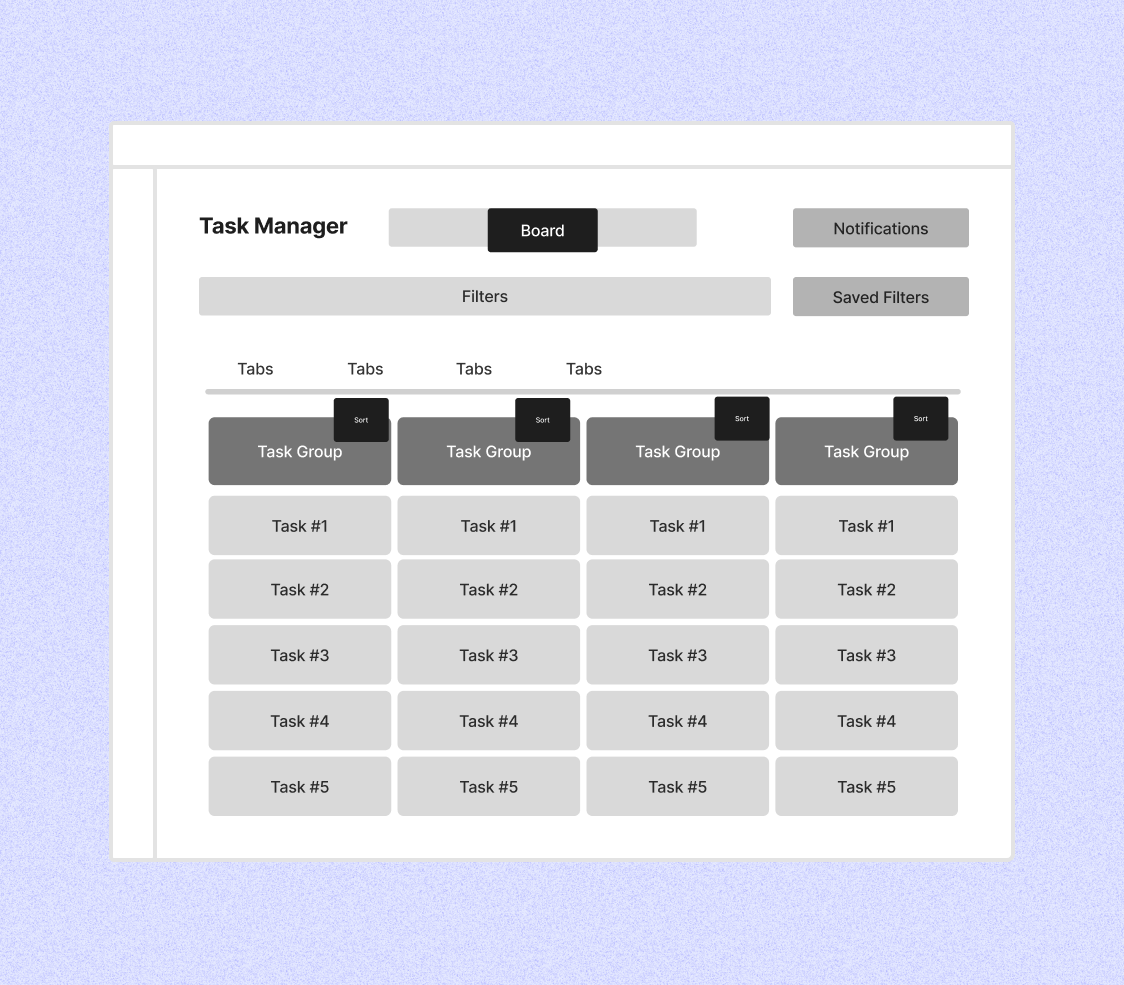
Kanban board:
A visual approach using columns to represent task status and progression. It made ownership, bottlenecks, and priorities immediately visible and matched agents’ mental model of work. While less compact and requiring onboarding, it best addressed visibility and flow.
Some approaches explored for HMW-2:
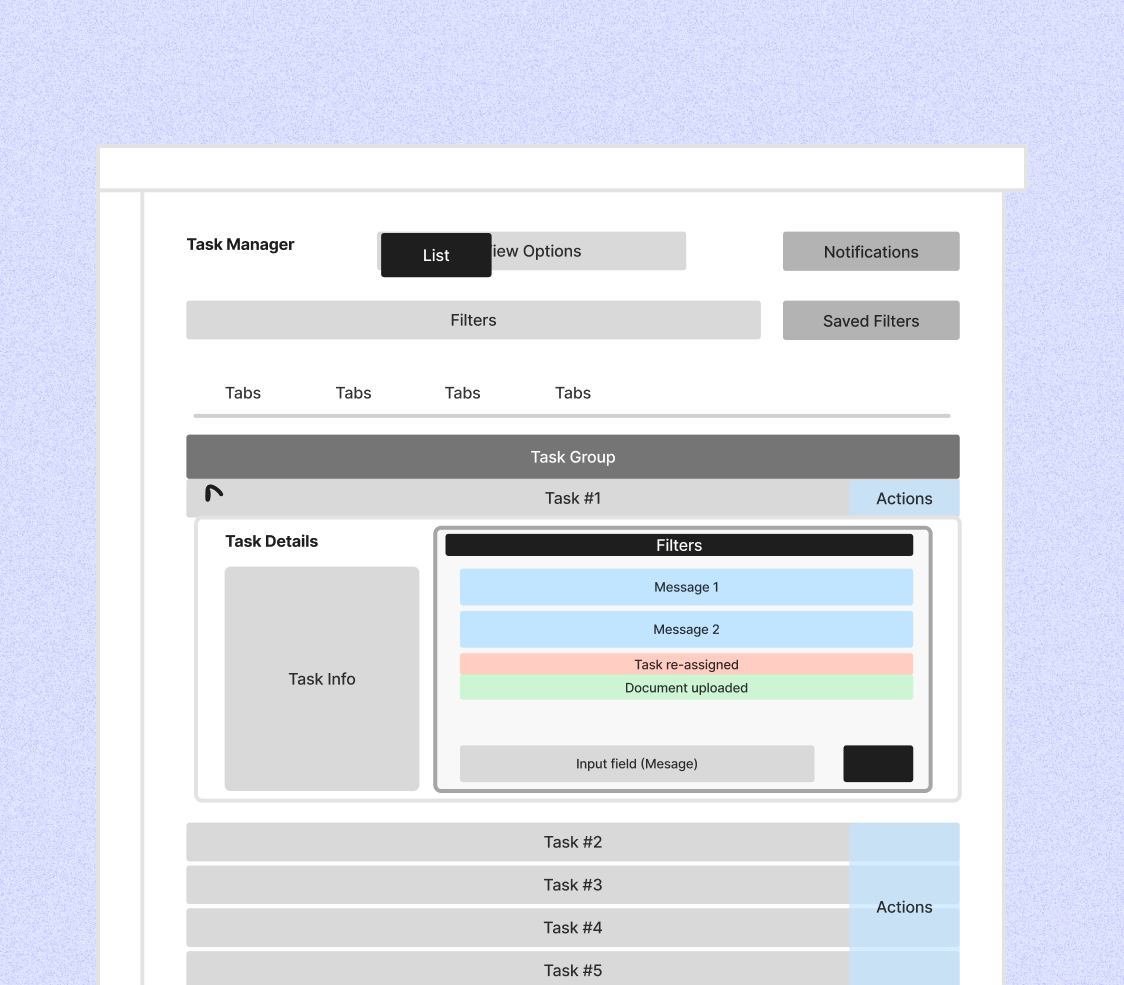
Expandable details:
Inline expansion showed recent interactions directly in the list, allowing quick checks without losing overview. It worked well for simple cases but became cluttered and hard to scale with long histories or multiple expanded tasks.
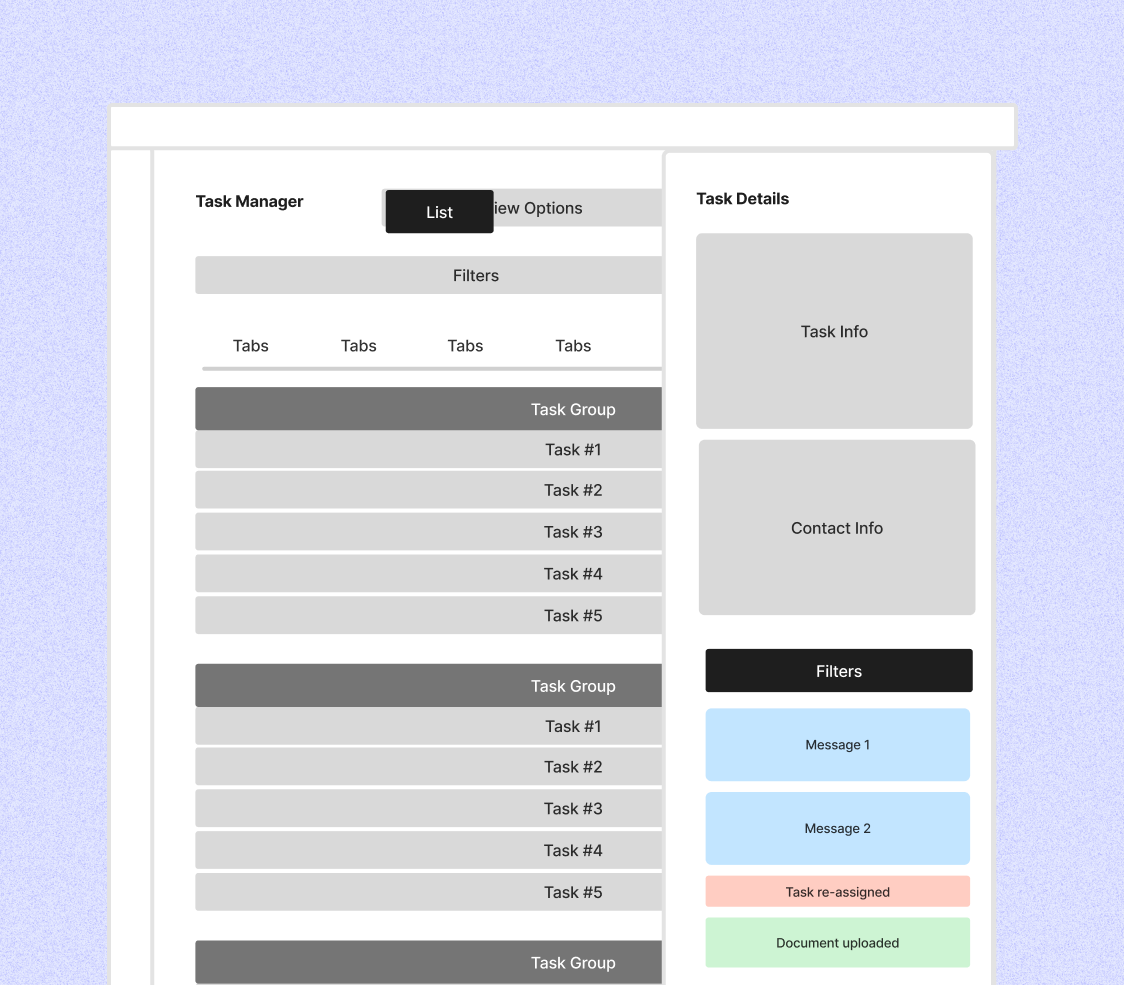
Lateral drawer:
A side panel kept the full interaction history visible next to the task list, making it easier to understand past actions, current status, and next steps at a glance. This pattern scaled best for complex and ongoing tasks.
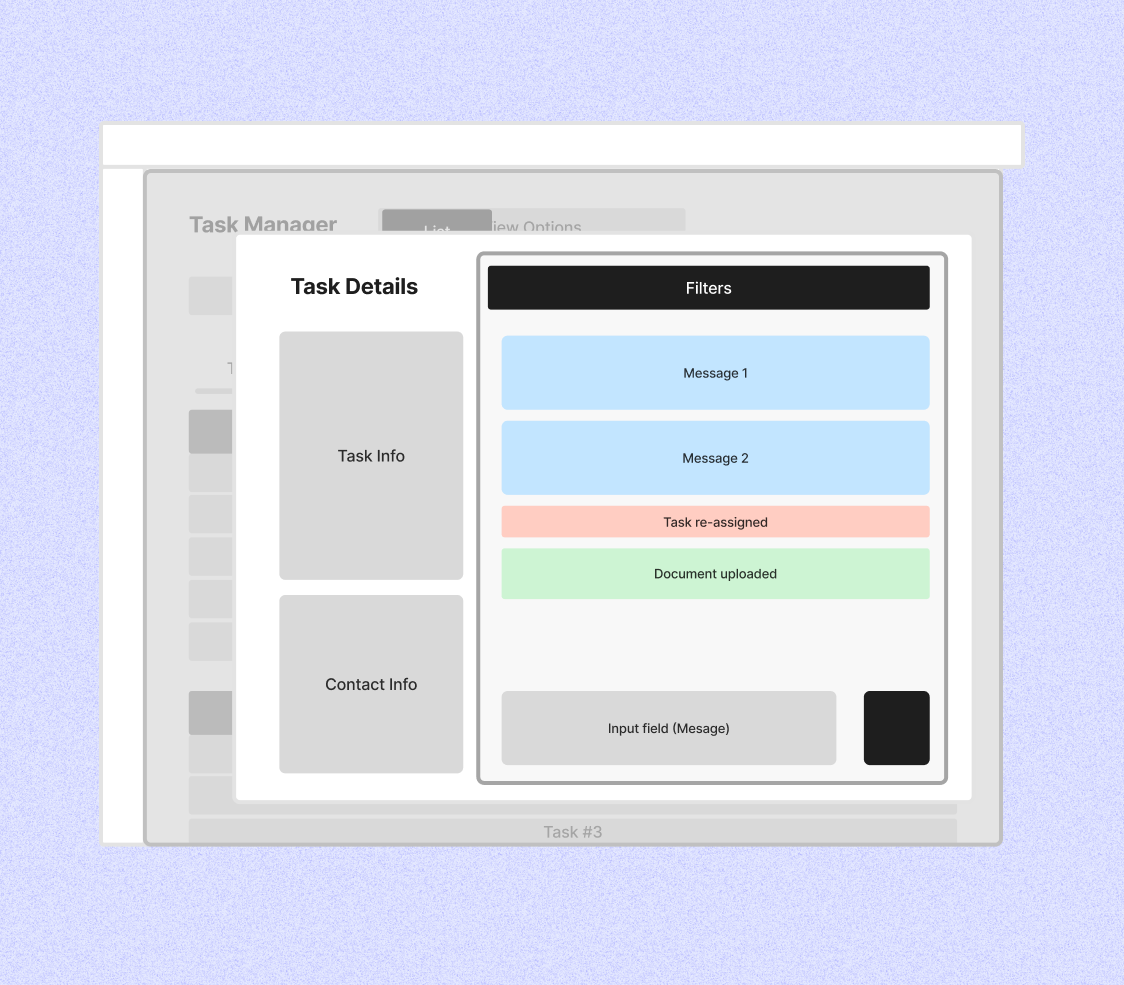
Modal:
Modals helped agents focus on a single task and review short interaction histories. However, they hid the task list, slowed down task switching, and made it harder to assess what still required attention across multiple tasks.
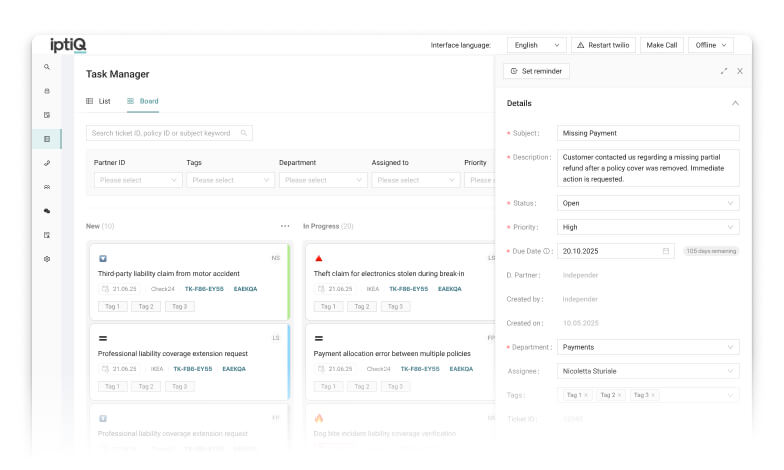
Based on research, exploration, and technical constraints, we moved forward with a Kanban-based task overview combined with a side drawer for task details. This direction made task status, ownership, and bottlenecks immediately visible, while also enabling backend changes needed for a more scalable task lifecycle.
This was a strategic choice rather than a purely visual one: the Kanban model aligned better with how agents reason about work stages and created a foundation for future automation and workload reporting.
Key design decisions:
Prototypes built in Figma Make were used to test with internal agents to validate the approach.
What worked:
.svg)
Urgency icons and color coding: "very visual and helpful"
Quick filters and smart defaults: "makes more sense, great for immediate overview"
Task drawer information density: "enough info without overload"
Direct navigation to related policies while keeping task details open: "huge help. This solved a big problem"
What needed to iterated:

Priority clarity: When and how priority is set or updated needed clearer rules to avoid inconsistent handling.
Date meaning: Creation and due dates were easily confused and needed clearer labels and defaults.
Action feedback: Send, Save, and Close actions lacked clear confirmation and intent.
Closed ticket behavior: Expectations around hiding, reopening, and reclassifying closed tickets needed alignment.
Making Priority Visible (HMW #1)
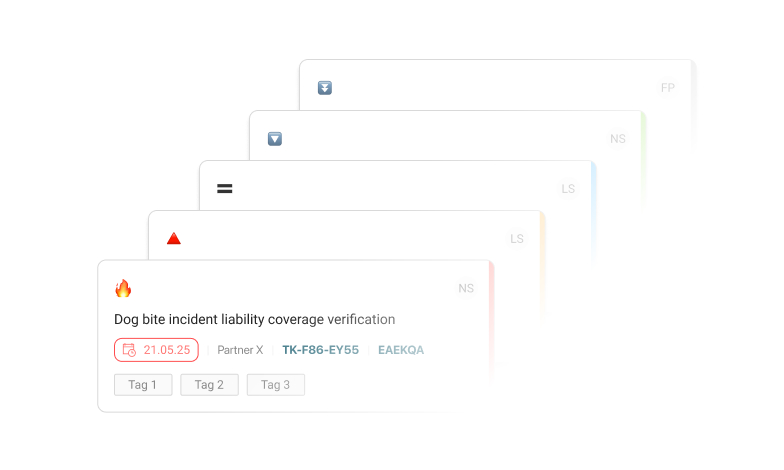
Tasks display priority through icon and color coding, making urgent work immediately visible without opening details. Priority is automatically assigned based on task type, reducing manual categorization while ensuring consistency across teams.
Context Without Context-Switching (HMW #2)
The side drawer keeps all task information (details, activity timeline, attachments, related policy links) accessible without disrupting workflow. Agents can navigate to the pages where they need to perform the task while keeping the information they need accessible.
Context Without Context-Switching (HMW #2)
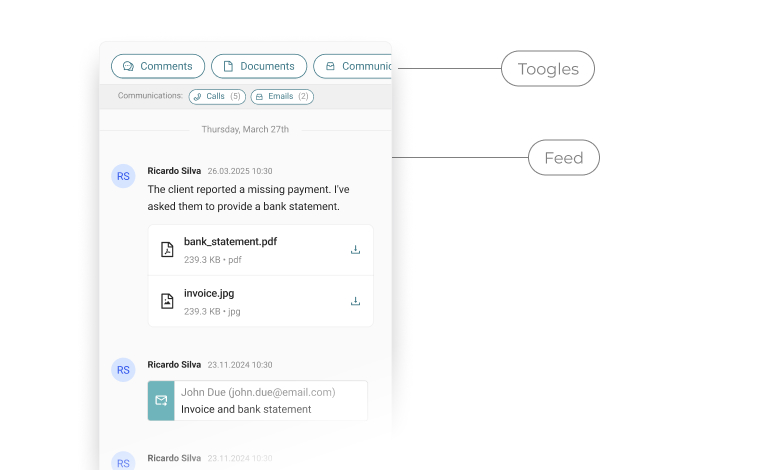
Activity history moved from fragmented tabs to a unified chronological feed, filterable by type (comments, documents, communcations and history). This allowed agents to understand what happened, when and what needs attention without searching information in different tabs.
Delivery
After usability testing validated the direction, I partnered with frontend and backend engineers to implement the solution. Together we addressed edge cases from testing—automating status changes, clarifying date fields, and refining reassignment logic.
We released an MVP in pre-production with a small group of agents, allowing them to trial the system with minimal risk. Feedback from this phase informed critical refinements before expanding rollout.
The full launch followed a progressive release strategy: we started with simpler use cases (agents with fewer tasks, single-market operations) and gradually expanded to more complex scenarios. This gave engineers time to monitor performance and gave agents confidence to adopt incrementally.

Operational Visibility:
Structured task data allows management to track workload patterns, identify bottlenecks, and measure the impact of external dependencies on SLAs.
Reduced Context Switching:
Consolidating task management reduces context switching and creates a single source of truth, eliminating reliance on Excel, Outlook, and post-its.
Scalability for Growth:
The new task structure and backend improvements support growing task volumes and more complex cross-market workflows without requiring workarounds.
Foundation for Automation:
Structured data and status tracking create the infrastructure needed for future features like auto-routing and intelligent reminders.
"The co-creation workshop with agents was one of the highlights of the quarter. Seeing how agents really work and exploring solutions together gave the team a level of clarity that we usually don’t get from specifications alone."
Back-End Developer
"This project felt genuinely collaborative. The design work was closely tied to real agent needs and addressed a clear business problem, which made the solution easier to understand, build, and stand behind."
Front-End Developer
I initiated ecosystem research to uncover how agents, tools, and communication channels really worked together. Visualising these interactions revealed shared friction points and shifted team focus toward the Task Manager as the highest-impact area. This work became the catalyst for alignment between PO, BE, and Operations.
Mapping the full ecosystem helped me identify root causes rather than surface UI issues. This system-level understanding shaped the task lifecycle, information architecture, and interaction patterns, ensuring the solution addressed structural problems and could scale across domains.
I created targeted collaboration moments with the co-creation workshop linking engineers with users, research readouts; and with focused design feedback sessions. These touchpoints built shared understanding, surfaced constraints early, and enabled faster, better-informed decisions. By structuring collaboration around key milestones, we reduced misalignment and increased ownership without needing recurring ceremonies.
